Free
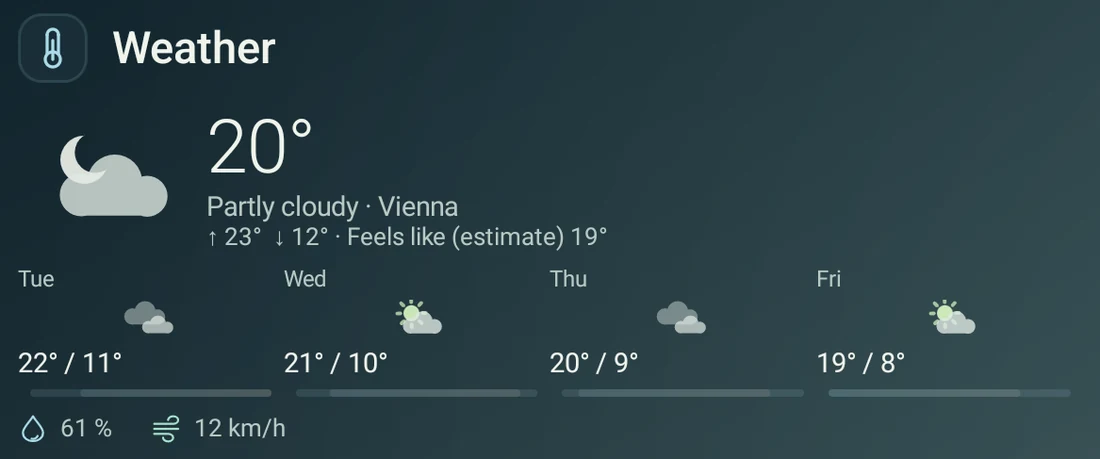
Weather
The forecast and the days ahead. Choose a city without sharing your device location.
 Folded Glass
Meet 1.0
Folded Glass
Meet 1.0
Made for foldables · Android 12+
A little glass. A lot more you. Keep your widgets beside your home, and make everything feel just right with a few simple gestures.
Public 1.0 preview · Coming to Google Play
Less setup. More you.
Give the important things a little more room. Make the rest a little smaller. Customize directly on your home screen.
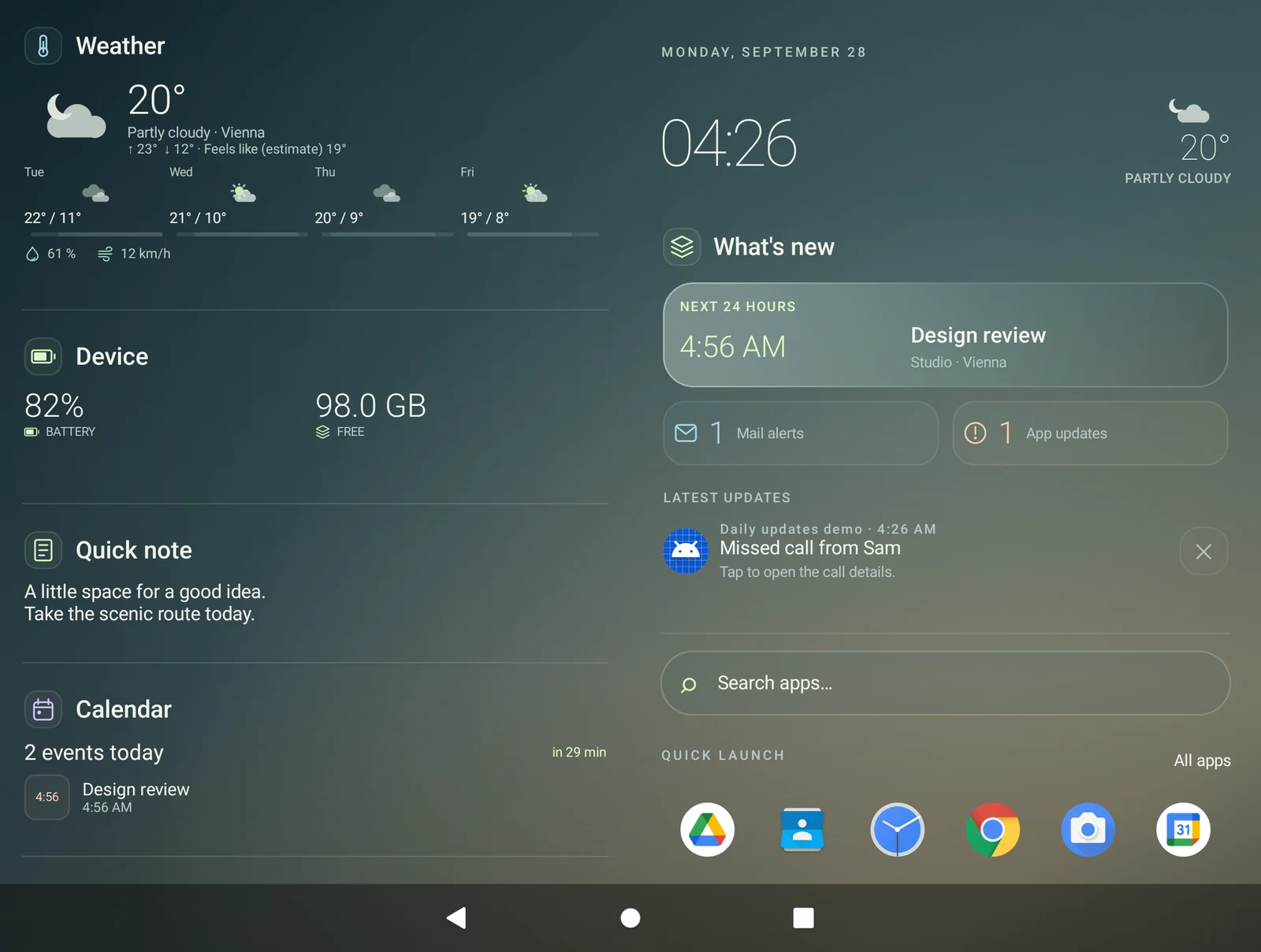
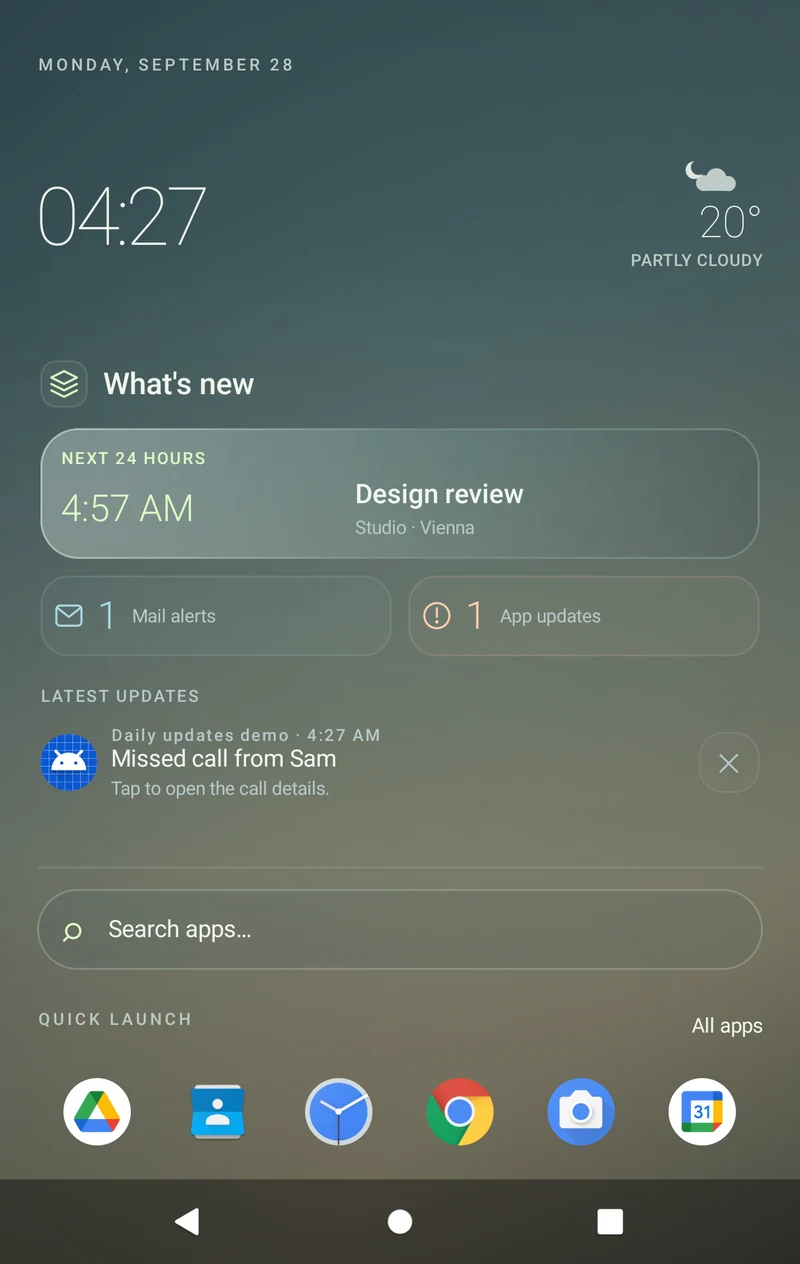
Press and hold the main widget’s title to reveal its editing controls.
Drag the top handle to adjust its height. Tap Done. More content scrolls inside the widget, while search and your app row stay in place.
Portrait and landscape automatically remember their own widget arrangements, sizes and pages. Fold and unfold within the same orientation to keep that arrangement.
Main-widget resizing and automatic orientation layouts are included in Free.
One home. Room to unfold.
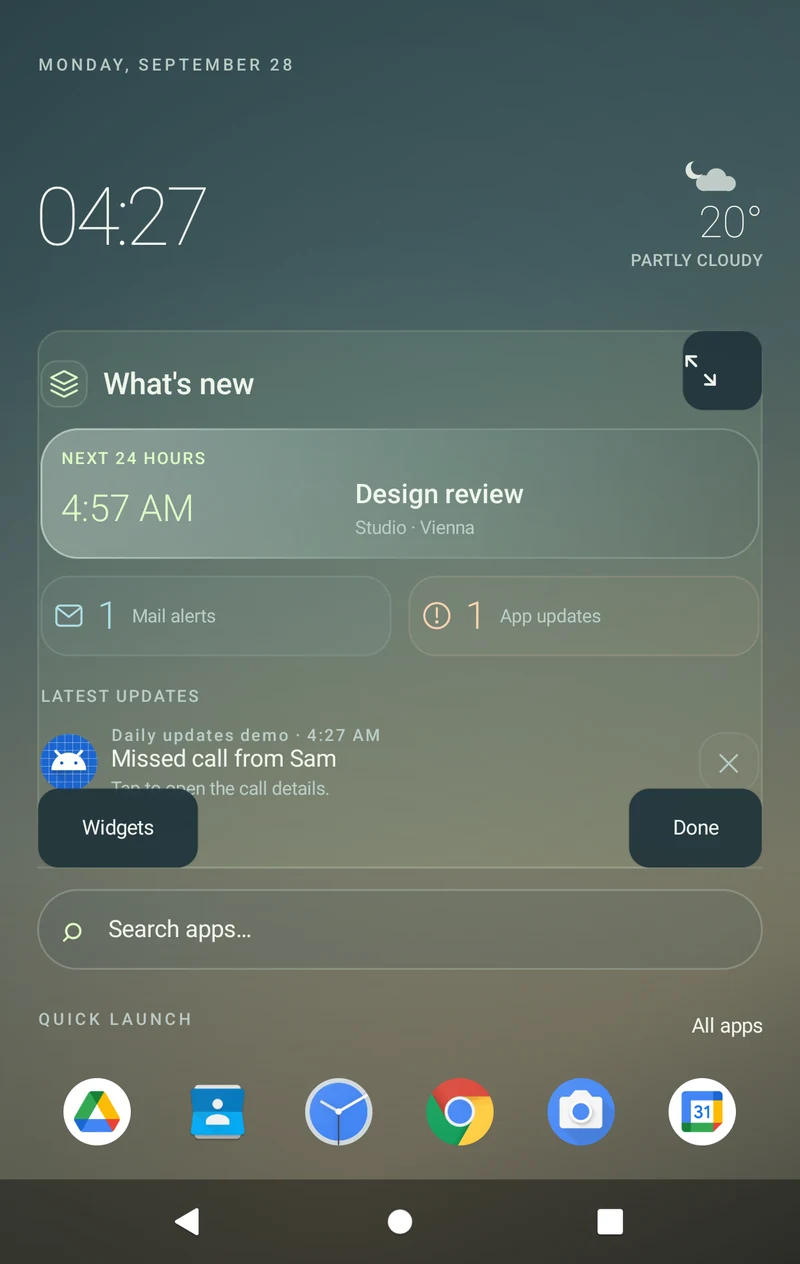
Your overview and home share the big screen like two pages of a book. On the cover, swipe between them. Your chosen arrangement comes with you.
Captured from the Public 1.0 development build at cover and inner-display sizes, with fictional calendar and notification data. Layout adapts to available space; device compatibility and physical fold transitions are still being tested.
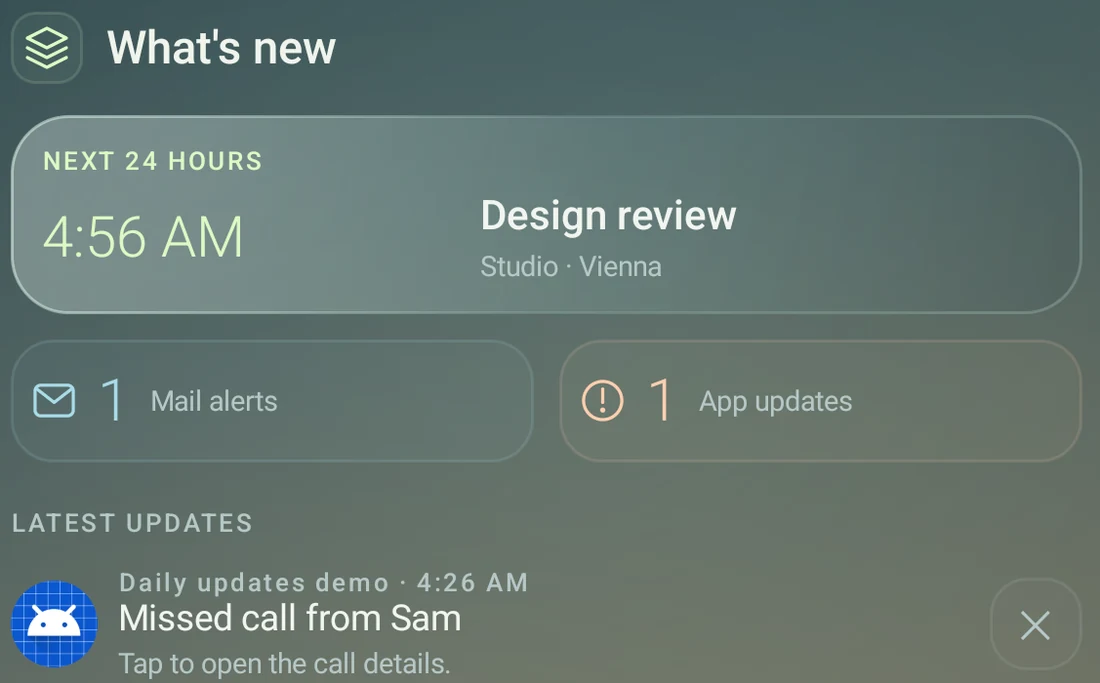
A useful start to your day
A glass home for the next 24 hours. What’s new brings your upcoming appointment, its time and place, and your active notifications into one calm view.
Mail counts are active mail notifications, not your unread inbox total. Calendar and notification access are optional; their content stays on your phone.
Your everyday, in glass
A forecast before you head out. A thought before you forget it. Pick from 14 built-in types in Free, or all 21 with Pro.


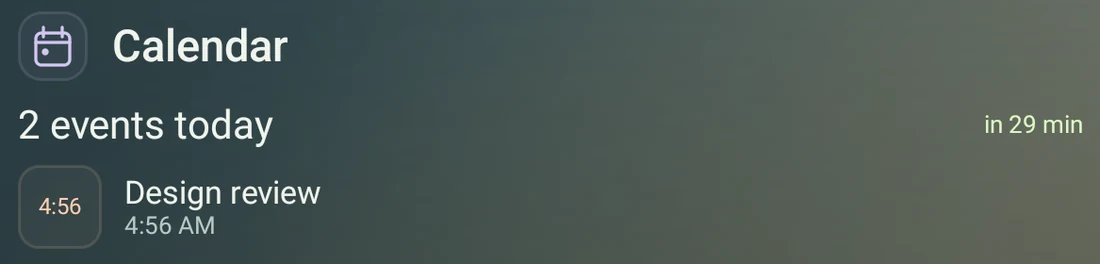
Actual app captures, cropped to show individual widgets. Readings, notes and events are sample data.
A home that feels like yours
Choose your accent, background and clock. Pin your favorite apps. Start with the essentials, or add your own mix with Pro.
Free includes three accents, three text colors and two backgrounds. Pro adds more colors, a color picker, your own background picture, extra clock designs and compatible icon packs.
Bring one Android widget from an installed app into Free. Pro expands to 16 slots shared by Android widgets and custom cards. Start with a bundled template, then edit it to suit you.
Keep your quick-launch row at the bottom. Add the optional taskbar for pinned and recent apps, or let it tuck away when you do not need it.
Find the visual manual and About page in Settings. The app is available in English and German, with layout export and import to keep your setup close.
Start free. Make it personal.
The foldable experience, quick resizing and automatic portrait and landscape layouts are all included in Free. Pro adds more ways to make it yours.
Folded Glass Free
€0No trial period
The everyday essentials, beautifully together.
Folded Glass Pro
€9.99Once · Planned launch price
Everything in Free, with more of you.
Planned pricing for Public 1.0. Google Play will show your local price before purchase. Hidden widgets count toward their allowance: eight built-ins plus one Android widget in Free. Custom and Android widgets share Pro’s 16 slots, including disabled widgets; built-ins do not use those slots. Provider apps, icon packs and connected services may charge separately.
No ads. Your home is your space.
No launcher account. Start with your phone.
Permission is your choice. Enable what you use. Privacy & data ↗
A few things to know
Public 1.0 is in preparation for Google Play. There is no confirmed launch date yet. This page will link to the store when the app is available.
Book-style foldables with a cover display and a wider inner screen, running Android 12 or newer. The compact home also works on ordinary phones. A flip phone’s small cover display may not support third-party launchers. Screen layouts adapt to available space; physical device compatibility is still being tested. The optional hinge animation is experimental and off by default.
Cover and inner displays use the same saved arrangement for the phone’s orientation. Portrait and landscape each remember their own widget order, pairing, sizes, main-widget height and selected pages. These automatic layouts are included in Free. Pro additionally offers up to eight named layout templates you can save and switch between.
Yes. Free includes one external Android widget in addition to its eight built-ins. Pro supports up to 16 Android widgets and custom Folded Glass cards combined. Install the provider app, add its widget and follow its setup. Provider apps control their own content and data practices. Work-profile and private-space widgets are not supported.
From your calendars and active notifications, only after you grant access. Mail counts refer to active mail notifications, not the unread total in your inbox. Text previews are off by default. Sources can be switched off individually, and calendar and notification content stay on your phone. No AI service or subscription is needed. Public 1.0 has no health widget or Health Connect access.
No. The planned launch price is €9.99 for a one-time Google Play upgrade, with your local price shown before checkout. Purchase restoration uses the Google Play account that owns Pro. Optional services and provider apps may charge separately.
Weather forecasts come directly from MET Norway and need internet access. Choose a city from the offline city list, or optionally enable approximate location. Tesla requires your own separately paid Tessie account and API token. Hue needs a compatible Hue Bridge on your network. Folded Glass is not affiliated with Tesla, Tessie, Signify or Philips Hue.
Public 1.0 · Coming to Google Play
Built by Erwin Esener. Have a foldable and a point of view?
Tell me what would make it feel more like home.